
Account Details
Navigate to the EZ Extension interface EZ Extension - Account Settings to access the account details.
To make the account details, perform the following steps:
1. Login to the EZ Extension application.
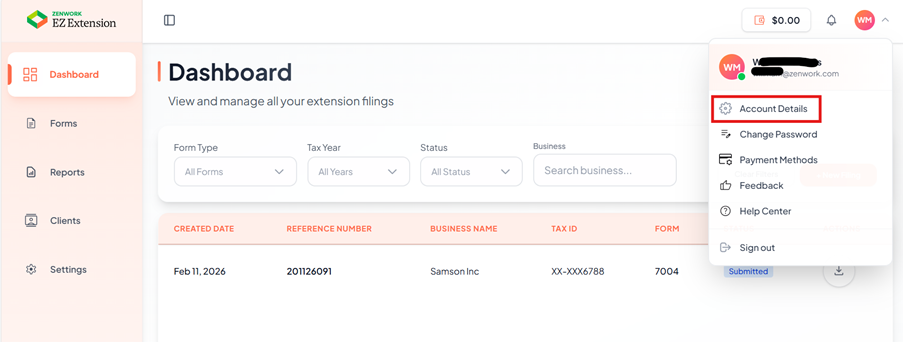
2. On the dashboard page, click the  User Profile in the top right corner of the page, and then select
  Account Details.
User Profile in the top right corner of the page, and then select Account Details.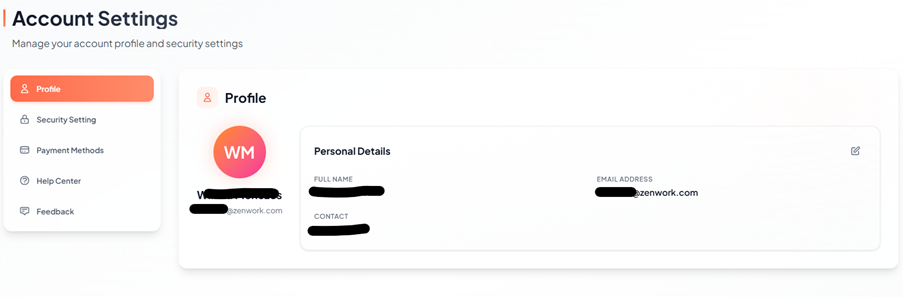
The Account Settings page appears under profile section, your personal account information such as name, email address, and contact number.
3. Click Edit icon, to update profile details.
The Edit Profile pop -up window opens
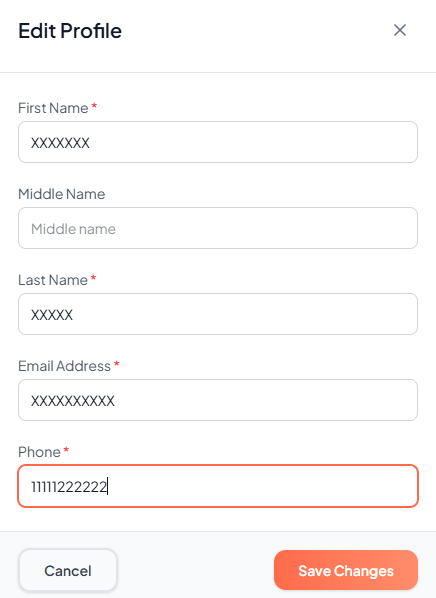
4. Enter the required fields and click Save Changes to apply the changes.
The profile updated successfully.