
Adding Funds to Your Prepay Wallet
To add funds to your Prepay wallet, perform the following steps:
1. Login to the EZ Extension application.
2. On the dashboard, click the  Prepay Wallet icon.
Prepay Wallet icon.The Add Funds to Your Prepay Wallet pane appears.
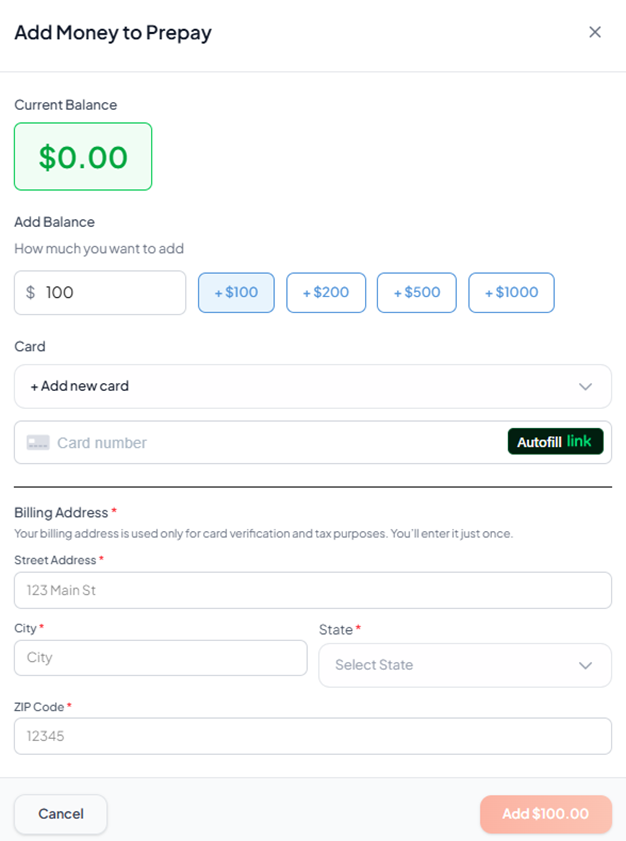
3. Enter amount you wish to add or select a predefined amount.
4. Choose an existing saved card or add a new card.
5. Click Add New Card to add a new card.
6. Enter the card number in the Card Number box.
7. Enter the Expiry Date and CVV number in the respective boxes.
8. Enter Billing Address in the Street Address, City, State, ZIP Code.
9. Click Add Amount to complete the transaction.
The funds are successfully added to the Prepay wallet.