
Reports
The Reports section allows you to generate and download compliance reports based on the selected tax year. These reports help you review submitted extension filings and maintain records for compliance purposes.
Generate Report
To generate a compliance report, follow the steps below:
1. Click Reports from the left navigation menu.
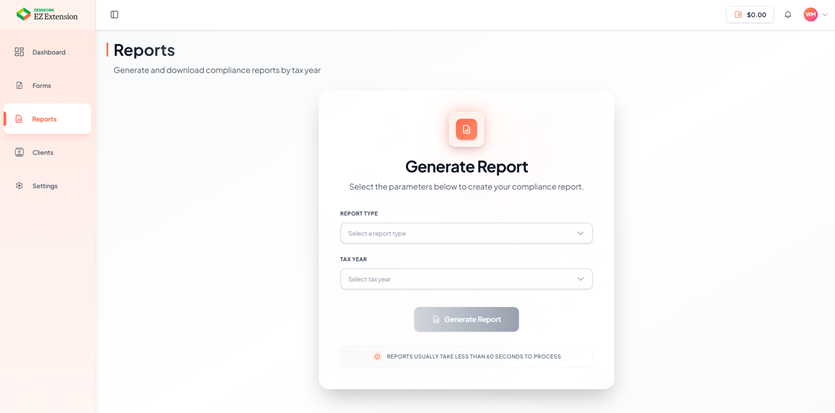
2. In the Generate Report section, select a Report Type from the dropdown.
3. Select the required Tax Year from the drop down list.
4. Click Generate Report.
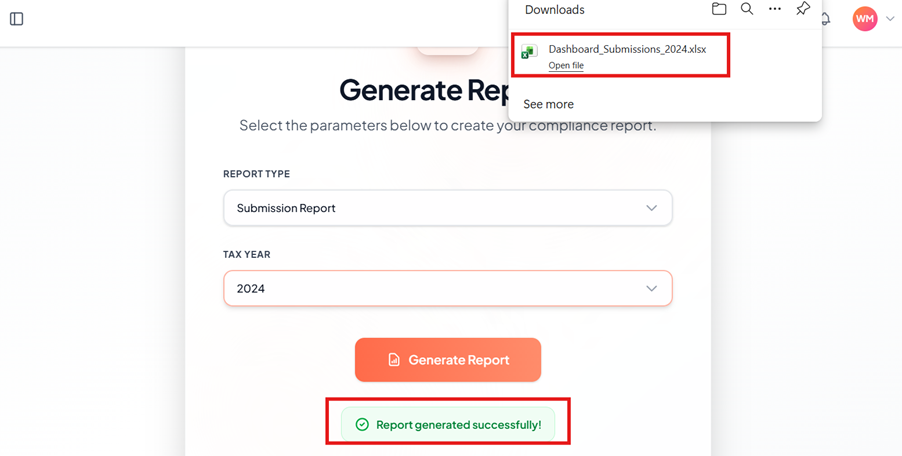
5. Once the report is generated successfully, it will be downloaded automatically to your device. A pop-up message appears as Report Generated Successfully.