
Signing Up EZ Extension
To sign up for EZ Extension, perform the following steps:
1. Open your web browser.
2. In the address bar, type the following URL: File Federal & State Tax Extension Online in Minutes – EZExtension
The EZ Extension Sign In page appears.
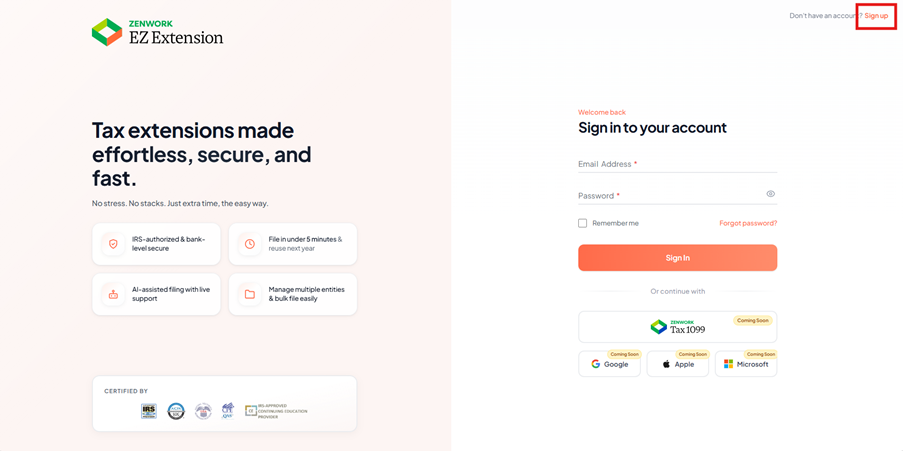
3. Click Sign Up.
The Sign-Up page appears.
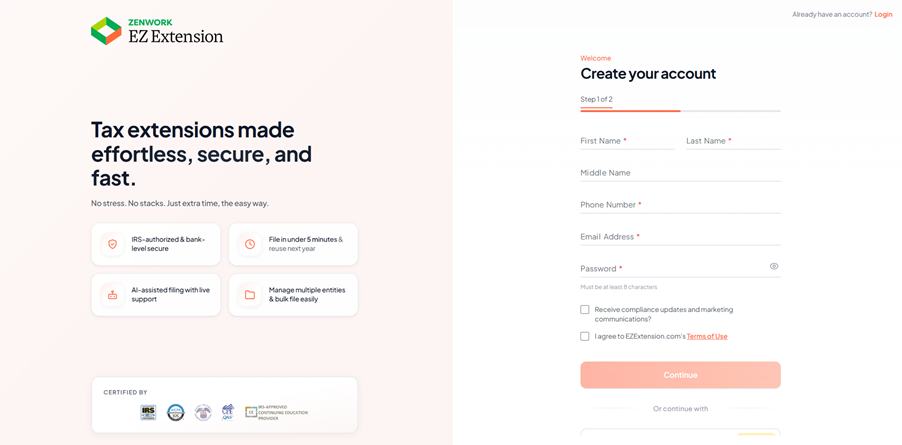
4. Enter your First name, Last name, Phone Number, Email address, and Password in the respective boxes.
5. Click the Terms & Conditions link to read them, and then select the I Agree check box to accept the terms and conditions.
6. (Optional) Select the Receive Compliance Updates and Marketing Communications check box to receive compliance updates and marketing communications.
7. Click Continue to sign up.
The Welcome to EZ Extension page appears.